Conducting Rails
I've been using @conductor_build heavily for weeks now and it's completely changed how I ship Ruby on Rails code when working with Claude models.
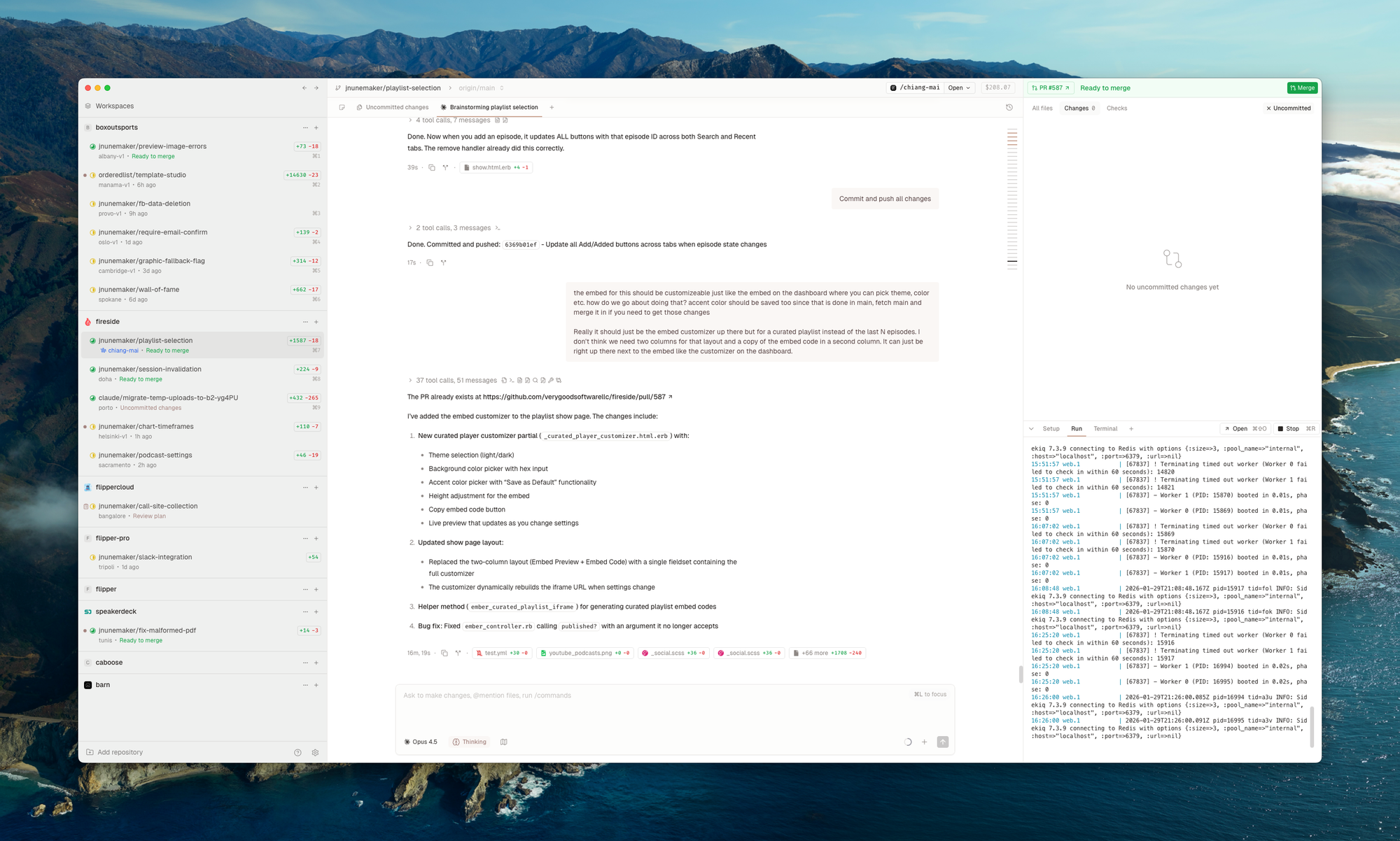
The multi-workspace, multi-process model feels unusual at first compared to a single editor flow, but once you handle the Rails-specific quirks, your ability to work in parallel and ship faster skyrockets.
Here are the key practical steps and fixes I've found essential for getting a Rails app running reliably across multiple Conductor workspaces. I'll try to keep this up to date as I find new things.
Copy essential gitignore'd files
Anything in .gitignore (credentials, .env.local, custom config files, active storage files in tmp/ etc.) won't copy automatically. Manually cp these from your main CONDUCTOR_ROOT project directory into each workspace directory during initial setup. This keeps isolation clean without git
pollution.
Drive everything through CONDUCTOR_PORT
Conductor assigns dynamic ports—make your app fully aware of them:
- Prefer
ENV['CONDUCTOR_PORT']with a fallback (e.g., 3000). - Update Action Mailer
default_url_options, controller/view host generation, and any internal URL building to use the current host + port. - Scope sessions and cookies by host + port to prevent collisions across workspaces.
- A solid starting point for host and port handling is in in this Gist.
Isolate databases for parallel execution
Shared test databases cause lock errors when running specs/tests concurrently across workspaces. Solution:
- Create a per-workspace test database (suffix by workspace ID,
CONDUCTOR_PORT, or Rails test env number). - Archive/drop the DB on workspace close.
- For dev, if you create new dbs, seed them in the conductor setup.
Use setup, run, and teardown scripts
Conductor supports these hooks natively. Automate workspace preparation (DB setup, seeding, file copying), server startup, and cleanup. This makes spinning up and tearing down consistent, repeatable, and fast.
Create bin/conductor-setup (or just mod bin/setup to work differently when conductor ENV vars are present) and bin/conductor-teardown (for when archive happens). run can just be bin/dev or whatever you use.
CORS (direct uploads)
One other issue is direct uploads to S3 and similar services. You'll want to be sure to use a dev bucket that allows any host/port.
aws s3api put-bucket-cors --bucket your-bucket-dev --region us-east-1 --cors-configuration '{
  "CORSRules": [
    {
      "AllowedHeaders": ["*"],
      "AllowedMethods": ["GET", "POST", "PUT", "HEAD"],
      "AllowedOrigins": ["*"],
      "MaxAgeSeconds": 3000
    }
  ]
}'
Rename browser tabs
Last but not least, rename your browser tabs. Trying to remember which port goes to which workspace is annoying. Just rename it once you open it to whatever the workspace is and you'll be golden.
The Shift
The mindset shift to multiple concurrent processes and workspaces is the biggest hurdle. Once it clicks and your app behaves correctly across them, the productivity gain is massive. If you run into Rails-specific issues (subdomains, shared resources, etc.), the fixes are usually straightforward. Just ask claude/conductor how to fix them by updating the bin scripts I mentioned above.
- Conductor + Claude Opus has mostly replaced my editor for day-to-day work. I only fall back to a traditional editor for quick muscle-memory tasks.
- The GitHub flow of Create PR > Run CI > Fix CI Failures > Merge is SICK.
- Every support request or thought that pops in my head becomes a workspace.
- Heavy usage quickly justifies upgrading your Claude plan if you're on a lighter tier. The combination of claude + conductor unlocks a lotta throughput.
If you're building with Rails and leaning on Claude heavily, Conductor is worth the initial setup effort. The payoff in shipping speed is real.
Always happy to brainstorm fixes for any Rails gotchas you hit—just reach out.